In seconds. 1 or 5000 images.

Professional grade image enhancement for everyone

Easily enhance your images, remove backgrounds, upscale and more with Pixometry.

Whether you're preparing cover art, lifestyle images, product shots, web assets or print‑ready files, Pixometry transforms everyday images into attention‑grabbing, professional‑grade assets.

  • No installation
  • No specialist skills
  • No Photoshop operator needed
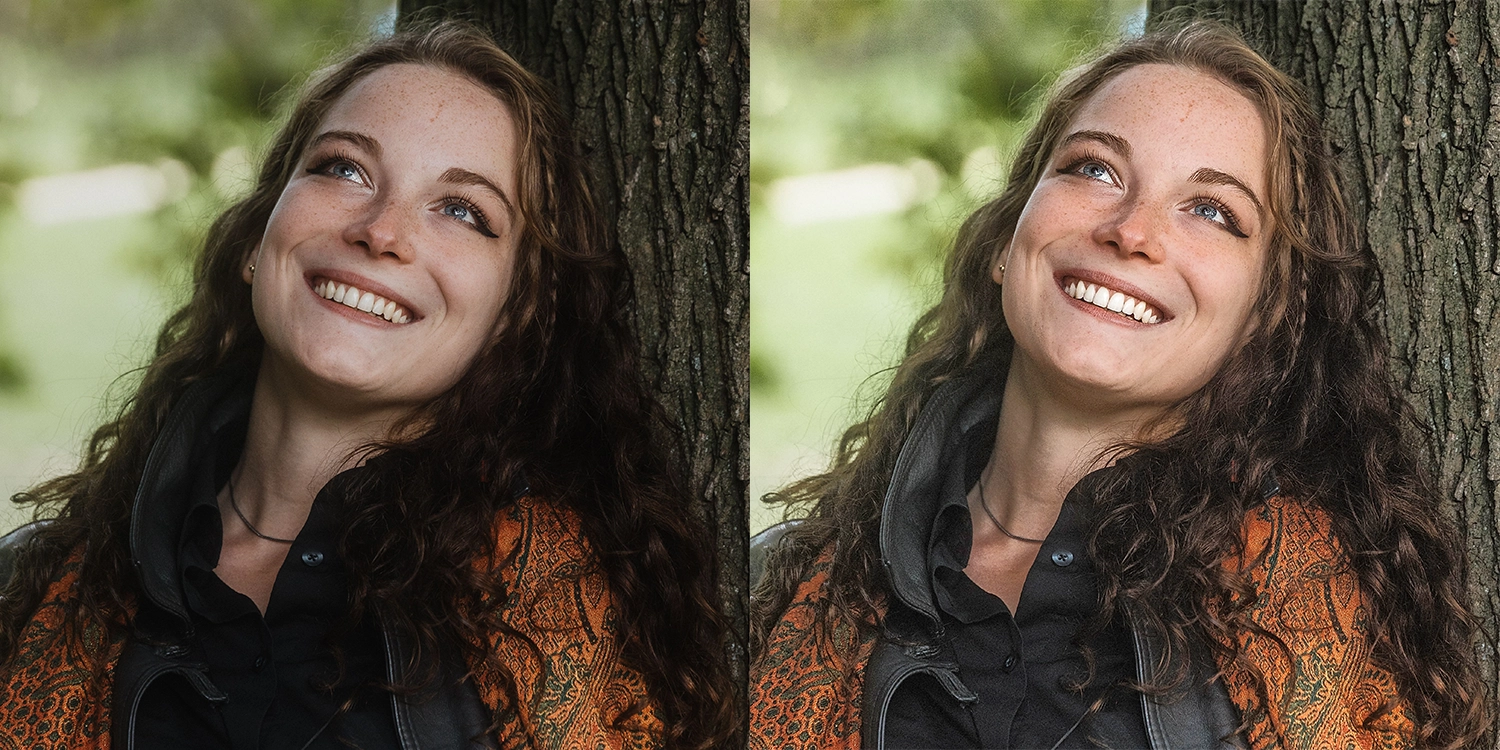
Portrait split down the middle: dull, flat skin tones and eyes on the left; bright, sharp teeth and eyes on the right. Pixometry in one glance.
Trusted by The New York Times Frankfurter Allgemeine News UK JCPenney Neiman Marcus

Trusted by newsrooms, retailers and publishers worldwide

The New York Times News UK Frankfurter Allgemeine Gannett The Globe and Mail El Mercurio Nine JCPenney Neiman Marcus Advance Local Adams Publishing Group Sheridan

How does Pixometry improve your images?

Not enough time to process every image properly? No Photoshop expert on the team? Source files that are underexposed, too small for print, cluttered with distracting backgrounds, or simply not good enough to represent your brand the way they should? These are the everyday realities for most marketing teams, publishers, and content creators, they cost time, money, and missed opportunities every single day.

Pixometry was built to fix exactly that. Upload your images and they come back looking their absolute best: colours that pop, sharpness that holds up under scrutiny, backgrounds cleanly removed, resolution that meets the demands of any format. No manual intervention. No specialist knowledge. No compromise on quality. Just images that are perfectly prepared for wherever they're going, print, screen, catalogue, social, or press. All in seconds, whether that's one image or five thousand.

Stop settling for good enough.
Your images deserve better.

Pixometry brings together decades of professional imaging expertise, trusted by publishers and media organisations in nearly 60 countries, and now available to any team, through a browser, in seconds.

Before & after, enhancement, cut-out & upscale

See the difference for yourself.

Wedding photo before Pixometry processing, flat colors, low contrast Before
Same wedding photo after Pixometry enhancement, vibrant, natural skin tones, richer detail After
Product photo before Pixometry, colors muted, background distracting Before
Same product photo after Pixometry, colors pop, cleaner presentation After
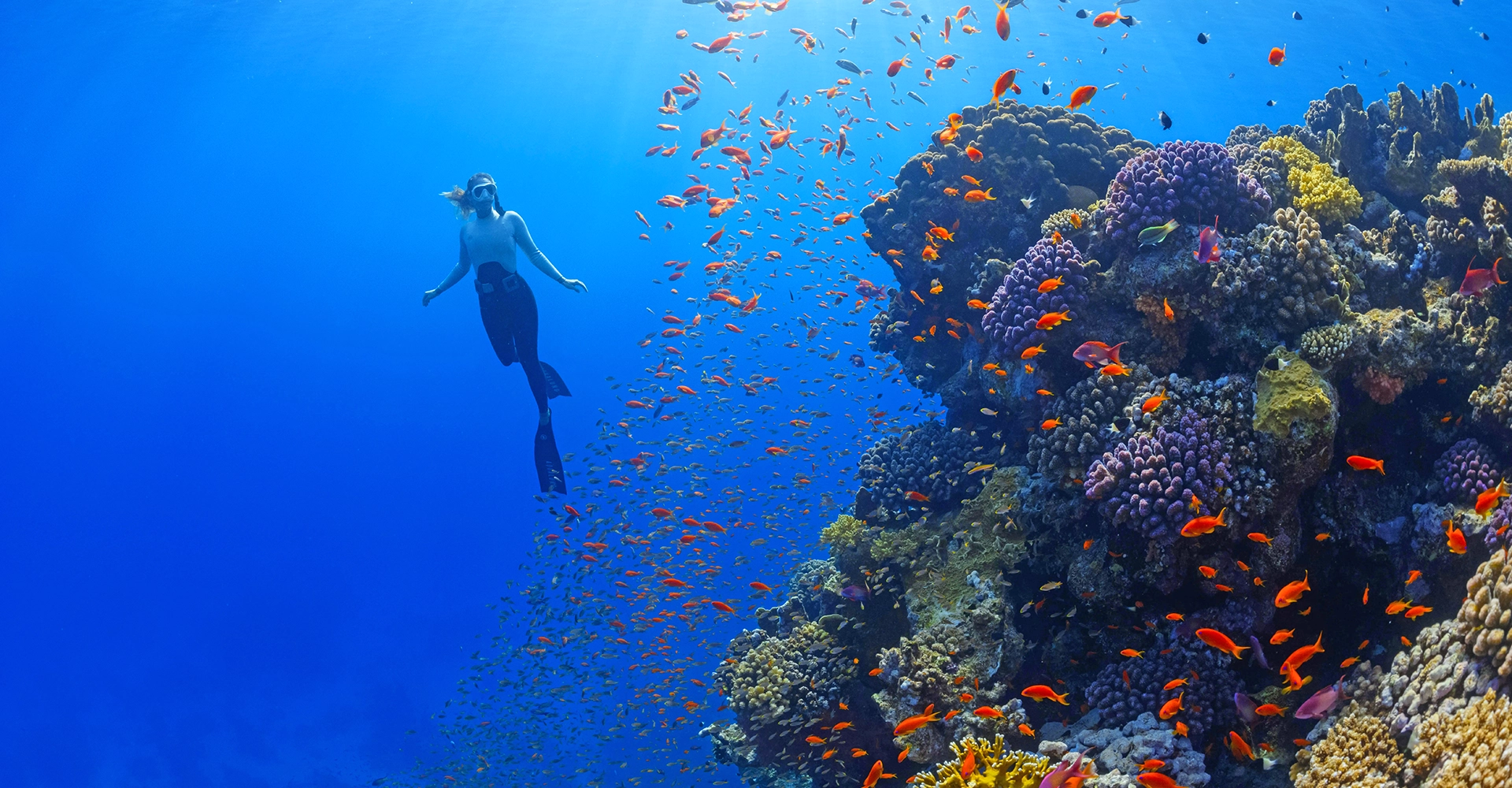
Diving action shot before Pixometry processing Before
Diving action shot after Pixometry, sharper, more dynamic After

How do I process images with Pixometry?

Simple drag & drop opens the doorway to a range of powerful imaging tools. Handling virtually all image file formats, including HEIC, WebP, AVIF and beyond, Pixometry delivers a perfect file optimised for web, print and everywhere in between.

1

Choose images

Select the images that you need optimised.

2

Drag & drop

Simply drop them on to the relevant workflow tile in the browser.

3

Download & use

Follow the processing in the Results page, then download and use.

Need something specific for your needs? No problem. Simply create your own enhancements and use them every time.

I've seen enough, let me test it
Because details matter

What can Pixometry do?

Everything your images need to look their best.

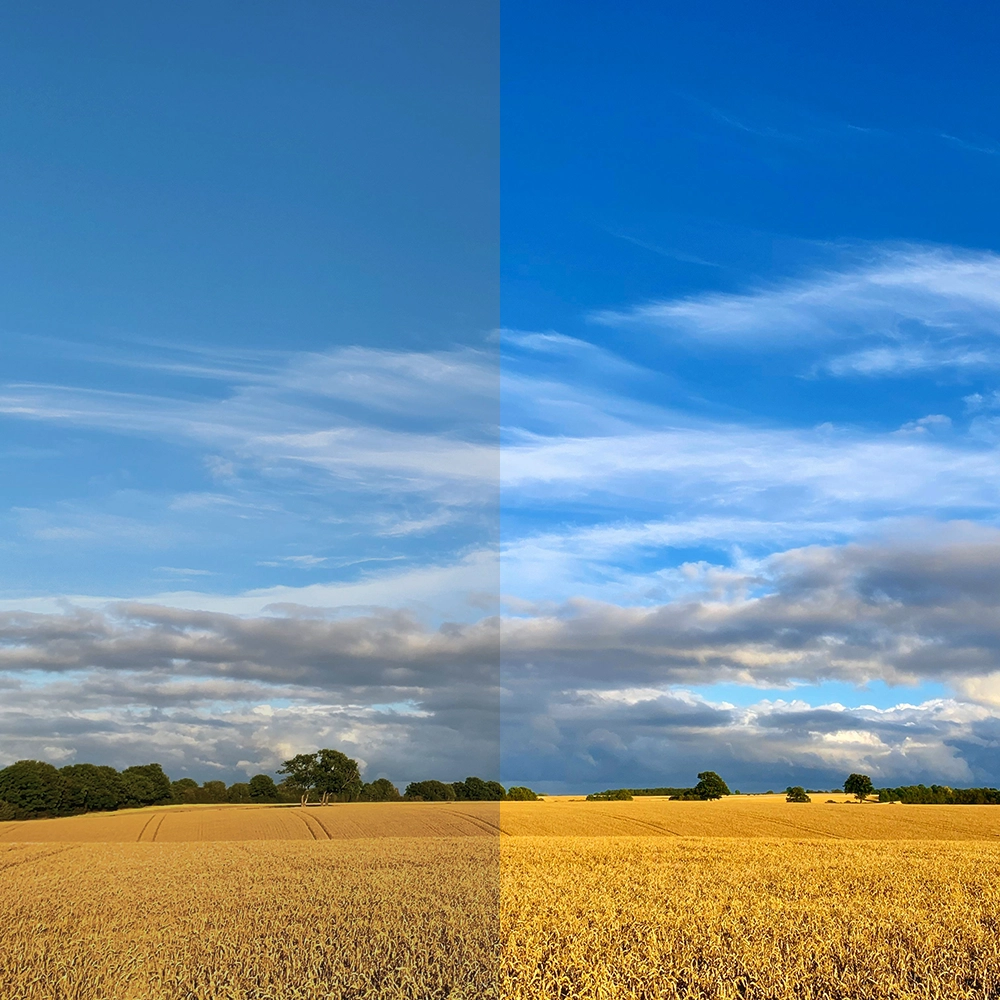
Landscape image showing dramatic before-and-after enhancement, enriched sky and colours

More details in seconds

Pixometry enhances your images to make them shine, on screen or paper. Utilising Pixometry's own advanced toning engine, your images become brighter, sharper and more vivid, gaining attention and increasing engagement with the content.

Use the provided channels out of the box, or refine the results with the user‑friendly tools.

More details here
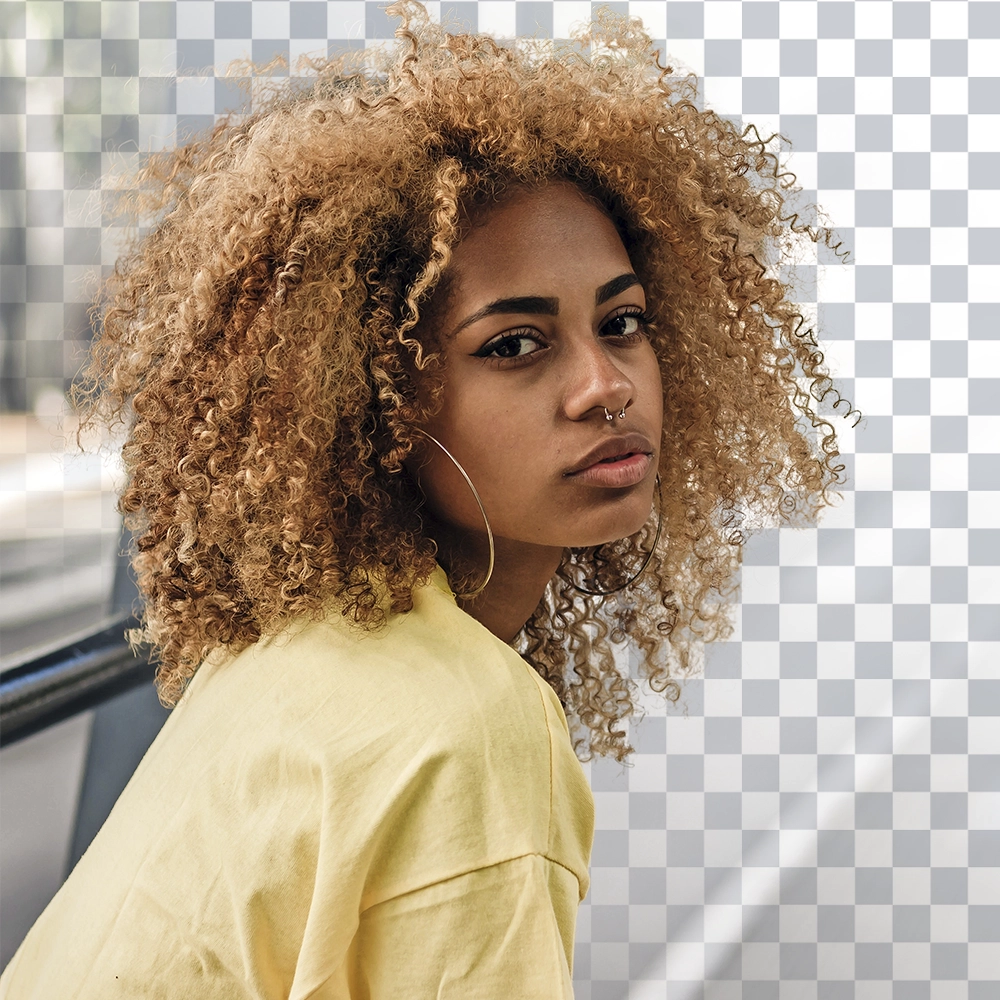
Portrait with background cleanly removed, showing precise edge detection

Boost your efficiency with background removal

Precise, detailed background removal completed in seconds, the edge you need for creating stylish designs and stand‑out imagery.

Choose from a PNG that's ready to go live online immediately, or opt for a layered Photoshop file for more creative control in your content design. Perfect for print, e‑commerce or HD displays.

Explore background removal
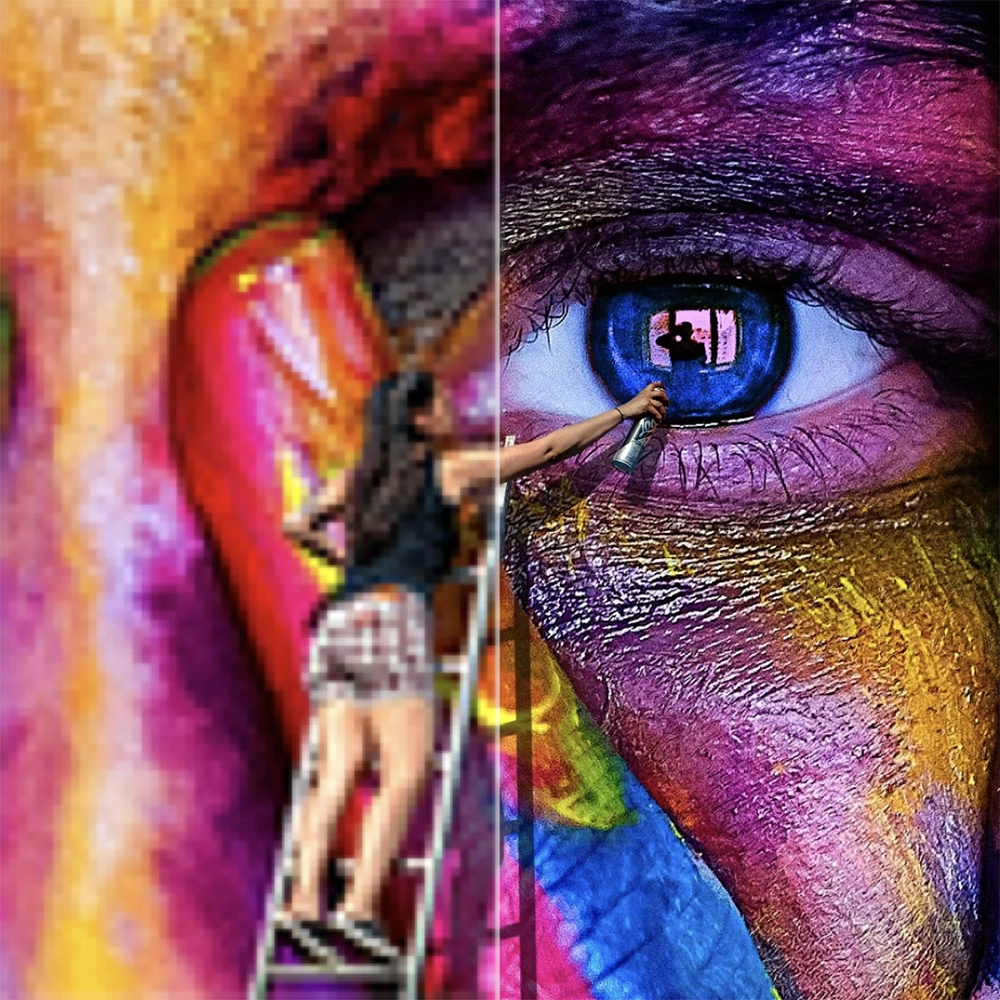
Low-resolution source image upscaled to sharp, detailed high-resolution output

Improve, sharpen and unblur your images in seconds

Upscale almost any low‑res image to 2× with specific face detection and recovery. Perfect for images from social feeds or screen grabs you need to reuse on the front page, or enlarge on screen.

Don't just add pixels. Add the right pixels. Pixometry's image upscaler maximises both the level of detail and the accuracy to your original. Your images end up larger and sharper, without losing the detail you started with.

More pixels here
Illustration of Pixometry integrations, InDesign plugin, Enfocus Switch, REST API, web app

Easy integration with your workflow

Install the Pixometry plugin for Adobe InDesign, wire up your Enfocus Switch flow, or hit the REST API from your existing tooling. Every entry point uses the same channels, configure once, use everywhere.

For high‑volume workflows, our Smart Connector desktop app handles folder uploads and batch processing without opening a browser.

See all integrations

One window, endless possibilities

Check the key features and tools

Frequently asked questions

What does Pixometry do?

Pixometry is a cloud-based image processing service that automatically enhances photos, removes backgrounds, and upscales images using AI. Publishers, print shops, and retailers use it to prepare images for print or digital output at scale — one image or five thousand, in seconds.

What image formats does Pixometry support?

Pixometry accepts JPEG, TIFF, PSD, PNG, WebP, HEIC, AVIF, and PDF as input formats. Image formats (JPEG, TIFF, PSD, PNG, WebP) can be freely converted between each other at output — layers are preserved in TIFF and PSD. PDF is a special case: PDF in produces PDF out, with all embedded images processed inside — you can't convert to or from PDF.

How is Pixometry different from Photoshop actions?

Photoshop actions apply the same edit sequence to every image regardless of content. Pixometry analyses each image individually and applies tuned corrections based on what it detects — face-aware skin tone correction, sky-aware colour balance, content-aware sharpening. There's no operator in the loop; the same channel produces consistent results across thousands of images without manual adjustment.

How much does Pixometry cost?

Every account starts with 50 free credits, no credit card required. Credit packs range from 100 to 10,000; monthly subscription plans include 500 to 20,000 credits with rollover for unused credits. Most jobs cost 1 credit; jobs that use background removal or AI upscaling cost 2–3 credits.

Can I process CMYK images for print?

Yes. Pixometry converts CMYK to RGB internally to run the AI enhancement pipeline (which operates in LAB), then converts back to CMYK at output using the source file's ICC profile — or a specific output profile you configure per channel. The roundtrip is transparent to your workflow: CMYK in, CMYK out, colours matched via ICC. Configurable output profiles include ISO Coated, GRACoL, and FOGRA.

Does Pixometry work with Adobe InDesign?

Yes. The Pixometry plugin for Adobe InDesign lets you enhance, crop, and upscale placed images without leaving your document — right-click a frame, click Process, and the plugin uploads the source, applies your channel settings, and relinks the result. The plugin is a free download from Adobe Exchange or directly from pixometry.com/indesign.

Is there a free trial?

Yes. Every account starts with 50 free credits — enough to process around 40–50 images depending on which features you use. No credit card required; you can create an account and start processing within a couple of minutes.

How does background removal work in Pixometry?

Pixometry uses an AI segmentation model to detect the subject and create a precision alpha mask. The result is delivered as a PSD or TIFF with the alpha channel included, ready to composite in InDesign or Photoshop. Background removal adds 1 credit per image on top of any other processing.

Stunning visual output, Pixometry

Discover Pixometry

Stunning visuals with ease. Start with 50 free credits, no card required.

Start your free trial